

AI workflow · Free
Build High-converting Advertorials & Listicles
ShopX Network GemCommerce×FireGroup Build High-converting Advertorials & Listicles Build with AI + GemBoss MCP Date: Saturday, 07.11.2026 T…
For Shopify stores
Don't miss what changes in Shopify and AI.
Experts and sellers share new ways to sell every day. GemSpace picks what is worth reading and puts it in your new tab. Two minutes a day is enough.
Free · No account · English, Tiếng Việt, 中文
GemSpace installs on a computer. Leave your email to get the install link.
Read today's briefingFollow on Telegram
The extension runs in Chrome, Edge and Brave on a computer. In this browser, read the briefing with Read today's briefing.
You already have the extension: open a new tab.
Already installed? Manage connected installs · Extension privacy · Content removal

The problem

Shopify, Meta, Google and AI tools change every week, and experts publish new playbooks just as fast.

The Shopify changelog, X, LinkedIn, Reddit, Facebook groups, YouTube, newsletters. Reading all of it is a job in itself.

Orders, ads and customers fill the day. Reading moves to tomorrow, and tomorrow is full too.
Your new tab
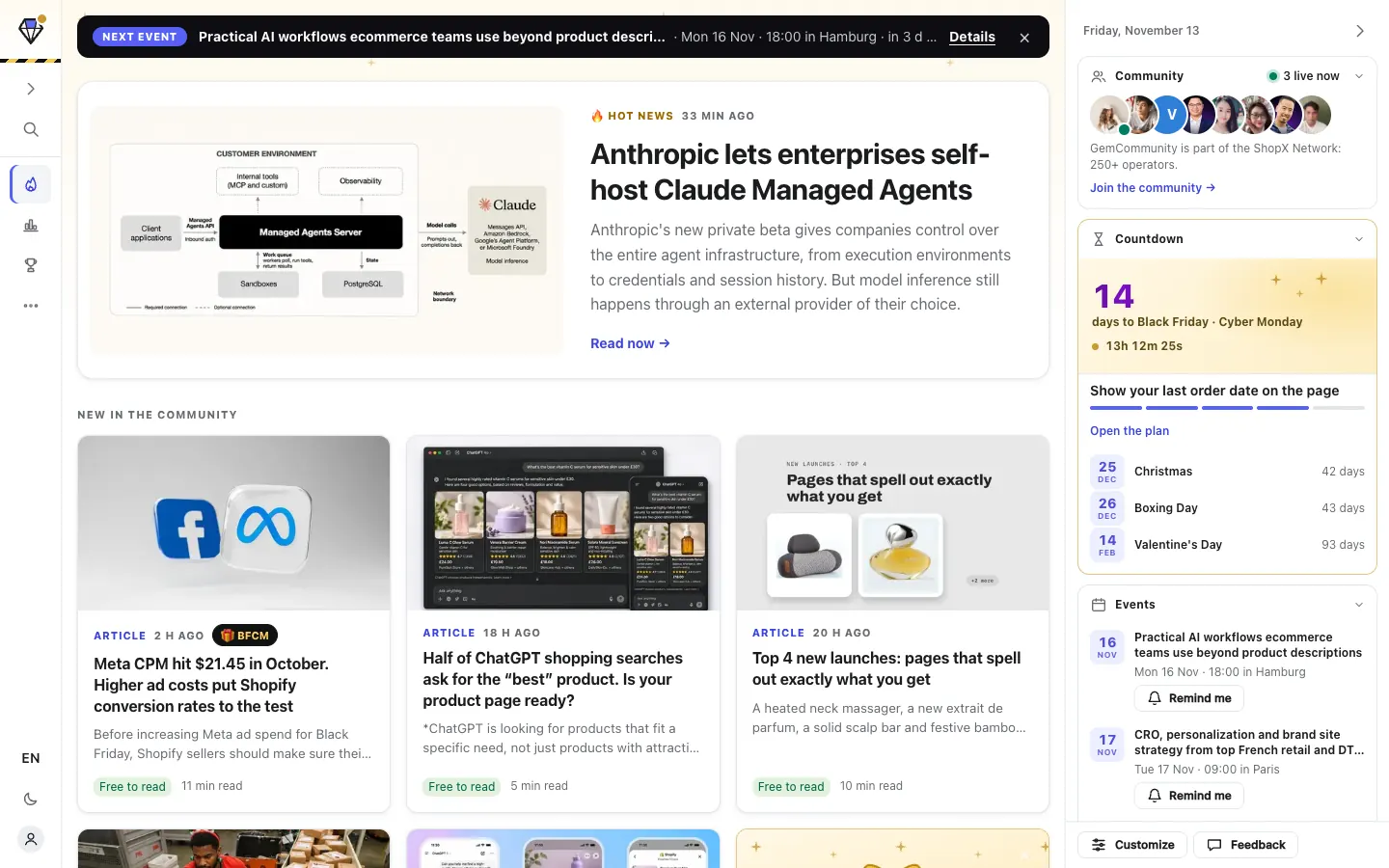
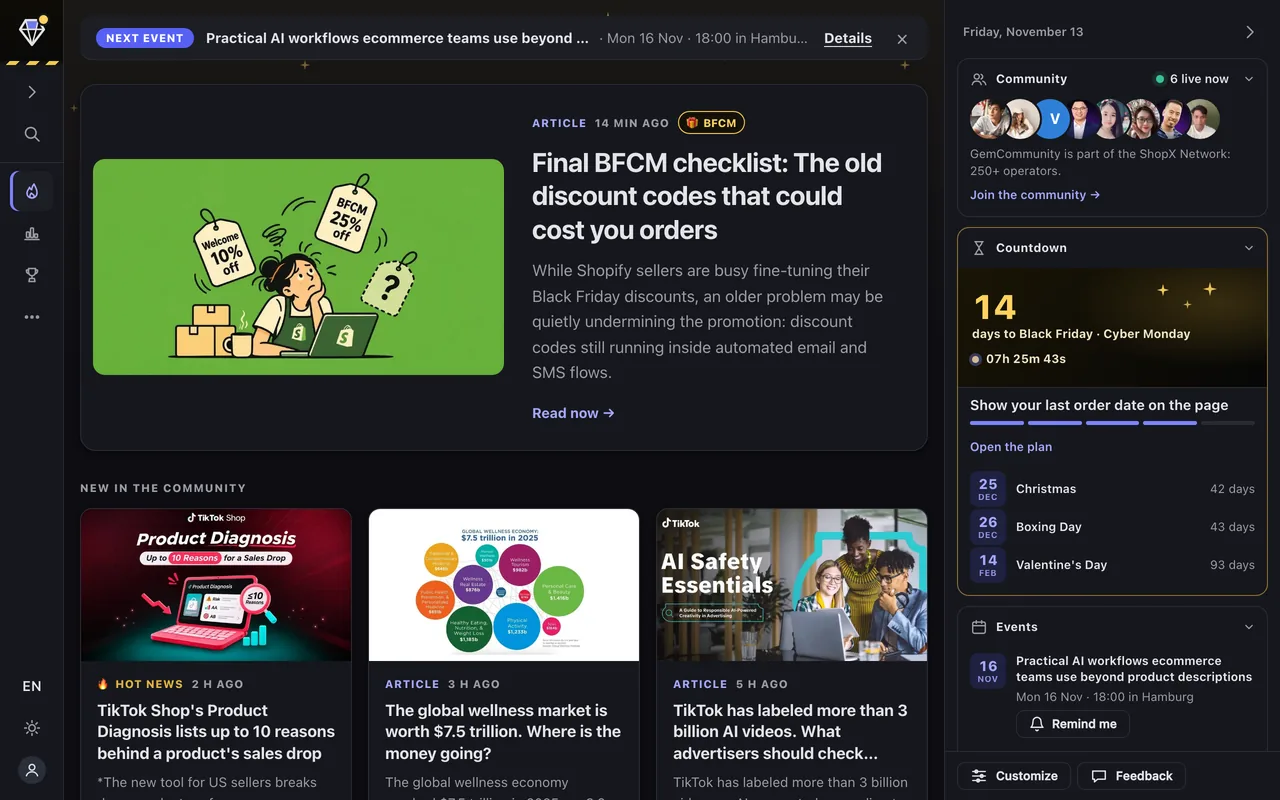
GemSpace replaces your new tab page. Nothing to open, nothing to search.
One button on the Chrome Web Store. No account, no setup.
Top story, new articles and AI workflows on the first screen.
English, Tiếng Việt or 中文. Switch any time.
Assistant
Ask GemSpace in plain words. Your own Claude Code or Codex reads the news and the competitors you follow, and answers right in the side panel. It runs on your plan, not ours.
A browser tab can’t start programs on your computer, so one command does it for you:
curl -fsSLo ~/gemspace-bridge.mjs https://space.gemboss.ai/bridge.mjs && GEMSPACE_CODE=<your code> node ~/gemspace-bridge.mjscurl.exe -fsSLo "$HOME\gemspace-bridge.mjs" https://space.gemboss.ai/bridge.mjs; $env:GEMSPACE_CODE="<your code>"; node "$HOME\gemspace-bridge.mjs"Telegram
Away from your computer, you still don't miss a thing. Follow the GemSpace bot and every new article arrives as 3 key points with a link.
Scan with your phone camera
@GemCom_bot
Community
See who is reading, what the community is talking about, and ask people who have done it. GemSpace is made by GemCommunity, part of the ShopX Network: 250+ ecommerce operators.
Market watch
Platforms change rules, competitors change prices, holidays come closer. GemSpace puts those signals in one place, with the source.

Widgets
Up to 14 widgets on the right of your new tab. Turn them on or off and change their order in Customize. Saved on your device.
Follow up to 3 competitor stores you add. When one of them changes something, it shows up here.
Days left to the next big sales moment in the markets you sell to: Black Friday, Christmas, Valentine's Day and more.
Upcoming ecommerce talks, meetups and livestreams, in your time zone.
The latest Winning Products: what is selling right now and why.
The newest stories in one list. Pick the kinds you want (articles, Hot News, case studies, AI workflows) and how many to show.
The three newest Hot News on Shopify, Meta, Google and AI, right next to your briefing.
The newest case study and how long it takes to read, so you learn from another store every week.
The time in New York, Los Angeles, London, Sydney and other cities you pick, and whether US shoppers are awake.
Type your price and your cost to get your break-even ROAS and CPA. Kept on your device.
Type a store's domain to open Meta Ad Library and see the ads it is running.
GemCommunity members who are reading, and how many people have GemSpace open now. Always at the top.
The three stories you saved most recently. Sign in to GemCommunity to keep them on every computer.
Your own list of the pages you open every day, like Shopify admin, Ads Manager and your email. Kept on your device.
Count down to a date of your own, like a launch, a sale or a restock. Kept on your device.
AI workflows
Real workflows from the community, with slides and prompts. More are added all the time.

ShopX Network GemCommerce×FireGroup Build High-converting Advertorials & Listicles Build with AI + GemBoss MCP Date: Saturday, 07.11.2026 T…
Build high-converting offers with AI. Buildathon GemCommerce × OmegaTheme, Hà Nội, 17/10/2026.

Turn an AI agent into an ad-research tool: a total beginner's workflow
Always improving
50 updates in the last 30 days. Chrome installs them by itself.

FAQ
Yes. GemSpace is free and needs no account. GemCommunity members can sign in to also read members-only stories.
Chrome, Edge and Brave on a computer. On a phone, read the same briefing at space.gemboss.ai, or follow it on Telegram.
It does not read your browsing history or the pages you visit. It only stores your settings and talks to GemCommunity.
Yes, through Codex. Sign in to Codex with your ChatGPT account (a plan that includes Codex, like Plus or Pro) and pick Codex in the Assistant. The chat stays in the GemSpace side panel.
Yes. Remove GemSpace in chrome://extensions and Chrome's own new tab comes back.

Free, no account, in English, Tiếng Việt and 中文.
Open this page on your computer to install, or send yourself the link. Send me the install link
GemSpace runs in Chrome, Edge and Brave on a computer.
GemSpace đang không hiện được. Bấm Tải lại, hoặc gửi ảnh màn hình này cho chúng tôi.
GemSpace is not showing properly. Press Reload, or send us a screenshot of this page.
GemSpace 没能正常显示。请点击“重新加载”,或把这个页面截图发给我们。